
You are using an out of date browser. It may not display this or other websites correctly.
You should upgrade or use an alternative browser.
You should upgrade or use an alternative browser.
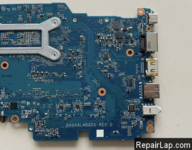
HP Probook 430 G7 DA0X8LMB8D0 REV D Bios
- Thread starter admin
- Start date
Junaid hanif
Member (✔)
- Joined
- Jun 24, 2020
- Messages
- 20
hi sir my laptop model number is hp ProBook 430 g7 10th gen Mainboard part number (DA0X8LMB8D0 REV D ) MODEL X8L
it has problem laptop turn on show hp logo and turn off and it selt turn on again and show hp logo and off again
i download this file hp 440 g7 from your website its give display and update bios automatically and restart give display again start and turn off after not getting power even while pressing power Butten
i upload original bios
one thing more its has 2 bios chip both are 16 mb i dont know which one is ec bios and main i am going to upload both files
plz check
it has problem laptop turn on show hp logo and turn off and it selt turn on again and show hp logo and off again
i download this file hp 440 g7 from your website its give display and update bios automatically and restart give display again start and turn off after not getting power even while pressing power Butten
i upload original bios
one thing more its has 2 bios chip both are 16 mb i dont know which one is ec bios and main i am going to upload both files
plz check
Attachments

- Joined
- Dec 2, 2017
- Messages
- 34,123
- Thread Author
- #4
hi sir my laptop model number is hp ProBook 430 g7 10th gen Mainboard part number (DA0X8LMB8D0 REV D ) MODEL X8L
it has problem laptop turn on show hp logo and turn off and it selt turn on again and show hp logo and off again
i download this file hp 440 g7 from your website its give display and update bios automatically and restart give display again start and turn off after not getting power even while pressing power Butten
i upload original bios
one thing more its has 2 bios chip both are 16 mb i dont know which one is ec bios and main i am going to upload both files
plz check
display ok but on off
Clear Me region
14.0.33.1125
Attachments
Junaid hanif
Member (✔)
- Joined
- Jun 24, 2020
- Messages
- 20
hp ProBook 430 g7 which files u upload its working fine but when i start the laptop display is too late and there one msg system is booting in manufacture program mode
can u fix it and upload again
can u fix it and upload again
- Joined
- Dec 2, 2017
- Messages
- 34,123
- Thread Author
- #6
Send a picture .hp ProBook 430 g7 which files u upload its working fine but when i start the laptop display is too late and there one msg system is booting in manufacture program mode
can u fix it and upload again
Junaid hanif
Member (✔)
- Joined
- Jun 24, 2020
- Messages
- 20
Send a picture .
Attachments

Junaid hanif
Member (✔)
- Joined
- Jun 24, 2020
- Messages
- 20
in this file on off it self display come too late alsodisplay ok but on off
Clear Me region
14.0.33.1125
Junaid hanif
Member (✔)
- Joined
- Jun 24, 2020
- Messages
- 20
But display is late like 40 to 52 secturn it 26 time than it will go away .
- Joined
- Dec 2, 2017
- Messages
- 34,123
- Thread Author
- #11
But display is late like 40 to 52 sec
Attachments
Junaid hanif
Member (✔)
- Joined
- Jun 24, 2020
- Messages
- 20
I ll check tomarrow then i ll let u know the progress
- Joined
- Dec 2, 2017
- Messages
- 34,123
- Thread Author
- #13
OkI ll check tomarrow then i ll let u know the progress
Junaid hanif
Member (✔)
- Joined
- Jun 24, 2020
- Messages
- 20
after copy this file laptop turn and goes off in 22 sec 4 time and display come
and internal keyboard stop to work
and internal keyboard stop to work
- Joined
- Dec 2, 2017
- Messages
- 34,123
- Thread Author
- #15
Bios can't stop your keyboard from working , try to use an external keyboard . and maybe you can use the last bios available on the official HP website .after copy this file laptop turn and goes off in 22 sec 4 time and display come
and internal keyboard stop to work
Junaid hanif
Member (✔)
- Joined
- Jun 24, 2020
- Messages
- 20
no worry about keyboard but laptop is going off every 22 sec 4 timesBios can't stop your keyboard from working , try to use an external keyboard . and maybe you can use the last bios available on the official HP websit
Junaid hanif
Member (✔)
- Joined
- Jun 24, 2020
- Messages
- 20
Similar threads

- Replies
- 0
- Views
- 370
- Replies
- 0
- Views
- 2K
Latest posts
-
-
-
-
HP Pav Plus Laptop 16-ab0041TU (906L2PA) 223140-1 Bios
- Started by admin
- Replies: 0